
Creating a cozy and productive home workspace is essential for anyone who works remotely or spends significant time at home on projects. A well-designed area can boost your focus, improve comfort, and inspire creativity. If you’re looking to transform your space into a spot you love spending time in, here are some practical tips to get you started.
Choose the Right Location
Finding the perfect spot for your workspace sets the tone for productivity. Ideally, select an area with:
– Good natural light: Sunlight can enhance your mood and reduce eye strain.
– Minimal distractions: Avoid high-traffic areas or places with constant noise.
– Sufficient space: Ensure there’s enough room for your desk, chair, and any equipment you need.
If space is limited, consider creative options like a corner desk or a wall-mounted fold-away workspace.
Invest in Comfortable, Ergonomic Furniture
Comfort impacts how long you can work efficiently without fatigue. Consider these furniture tips:
– Ergonomic chair: A chair with lumbar support that encourages good posture is worth the investment.
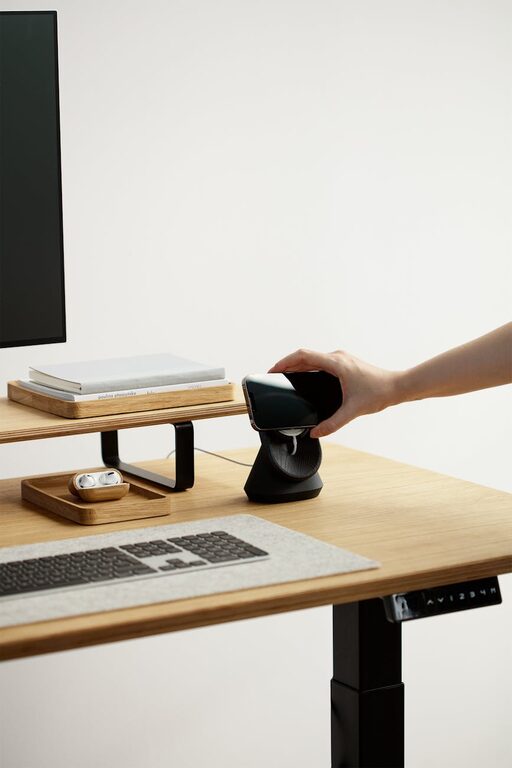
– Adjustable desk: A height-adjustable desk lets you switch between sitting and standing, which can improve circulation and reduce discomfort.
– Desk size: Choose a desk that fits your equipment without feeling crowded.
Adding a footrest or an ergonomic keyboard and mouse setup can also make a difference in comfort.
Optimize Lighting
Proper lighting helps reduce eye strain and creates a pleasant work atmosphere.
– Natural light: Position your desk near a window, but avoid glare on your screen by using blinds or curtains.
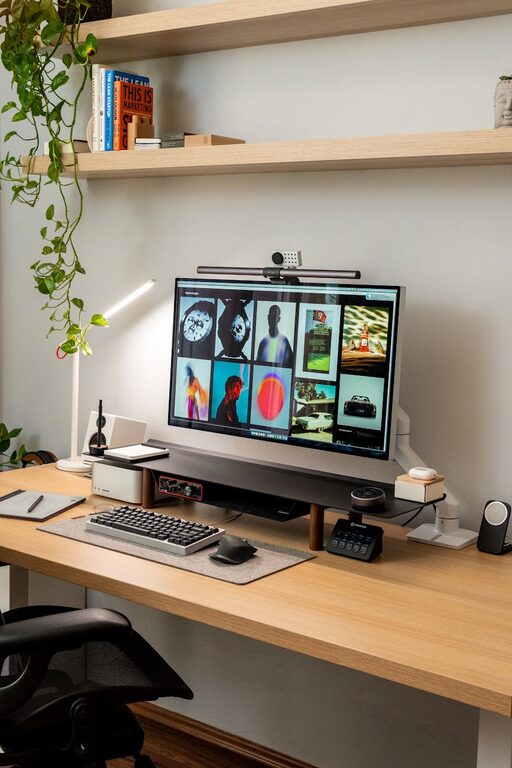
– Task lighting: A desk lamp with adjustable brightness focuses light exactly where you need it.
– Ambient lighting: Soft overhead lights contribute to a cozy environment without harsh shadows.
Consider bulbs that offer daylight-like brightness for a more natural feel.
Organize and Declutter Your Space
A clutter-free environment helps keep your mind clear and focused.
– Storage solutions: Use shelves, drawers, or filing cabinets to keep papers and supplies off your desk.
– Cable management: Use clips or tubing to organize cords and prevent tangling.
– Minimal décor: Keep decorations simple and meaningful to avoid distractions.
Regularly tidying your workspace encourages a peaceful setting for work.
Personalize Your Workspace
Adding personal touches can make your area feel welcoming and inspiring.
– Plants: Small indoor plants improve air quality and add a splash of color.
– Art and photos: Display artwork or photos that motivate you or bring joy.
– Soft textiles: A cozy throw blanket or cushioned chair pad enhances comfort.
The key is to balance personalization without overwhelming the space.
Incorporate Productivity Tools
Equip your workspace with tools that support your workflow.
– Planner or whiteboard: Keep track of tasks and deadlines visually.
– Noise-canceling headphones: Minimize background noise when concentration is needed.
– Charging station: Keep devices powered and ready by creating a dedicated charging spot.
Having these tools within reach saves time and reduces frustration.
Maintain a Healthy Routine
Your workspace supports your work, but habits matter too.
– Take breaks: Stand up, stretch, or walk every hour to refresh your body and mind.
– Stay hydrated and nourished: Keep a water bottle and healthy snacks nearby.
– Set clear boundaries: Define work hours to separate professional time from personal life.
A balanced routine promotes sustained productivity and well-being.
Final Thoughts
Designing a cozy and productive home workspace doesn’t require a complete overhaul. Small changes tailored to your preferences and needs can significantly enhance your daily work experience. By focusing on comfort, organization, personalization, and good habits, you’ll create an environment that supports your best work and keeps you feeling positive throughout the day.
About the Author